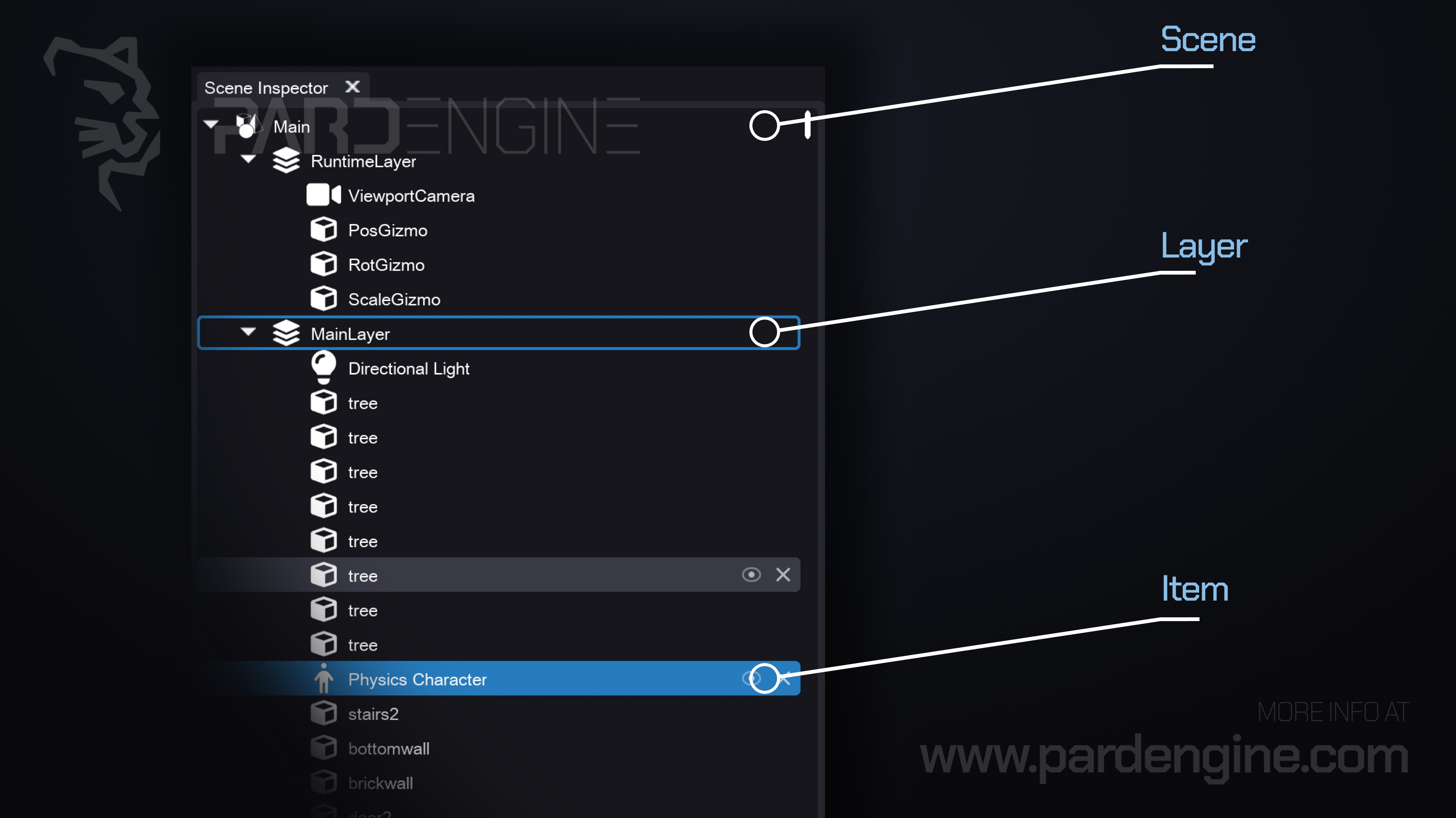
In today's devlog, we introduce the Scene Inspector.
The Scene Inspector is a panel of the Scene Editor that allows you to inspect, edit, and manage the hierarchy structure of the elements that compose a Scene.
In Pard Engine, a Scene serves as a container for all objects, items, and layers that make up a game level or environment. Each scene is composed of zero or more Scene Layers, which in turn contain a hierarchy of Items. This structure allows for modular editing, streaming, and runtime management.
Scene Layers: A subdivision of a scene. Each layer can contain a hierarchy of items and acts as an independently manageable portion of a scene.
Items: The fundamental building blocks of scenes. They represent objects in the world and are composed, in turn, of a hierarchy of Components.
Components: Define the functional capabilities of an item, like Transform, Static Mesh, Light, etc.
We will deepen our discussion on the components of an item in the next Devlog, where we will introduce the Properties Panel.
Thank you for being part of the Pard Engine journey!
We’re closing in on our Alpha version release, and your interest fuels every line of code we write.
How you can help us grow:
Support us on Patreon: Every contribution powers our development, no matter the amount.
Patreon LinkJoin our Discord: Chat with devs, share ideas, and get early updates.
Discord LinkReady to spread the word?
Share this article anywhere you like using the buttons in the share bar.
We can’t wait to dive into the next devlog with you!