Click the image above to watch the YouTube video for this devlog.
Developing the Editor of Pard Engine | Pard Engine Studio
Hello everyone!
A bit of time has passed since the last devlog, but finally, development of Pard Engine has reached an important, nearly final milestone. For this reason, we can now announce an estimated release date for the Alpha version: late 2026 / early 2027.
During this period, significant progress has been made through refactoring and improvements, particularly concerning:
The C++ Core Framework of Pard Engine.
The Graphics Engine.
The editor application.
The editor of Pard Engine has been formally named Pard Engine Studio.
Additionally, numerous enhancements have been applied to the C++ GUI Framework used to build Pard Engine's editor, illuxUI, especially regarding the style system, that now allows to apply complex styles to UI controls, like borders, custom corners, etc.
Most features planned for the Alpha version have been implemented, though additional features and improvements remain. Conversely, substantial work is still required regarding:
Documentation.
C++ API Reference.
Precisely for this reason, we can now begin sharing devlogs on the progress made so far, starting from the last devlog. This will help us spread awareness about Pard Engine while guiding us to implement the last features and to write and refine the final documentation.
Please help us spread the word about Pard Engine!
Introducing the Editor Development
Let’s begin with the main topic of this devlog: the development of Pard Engine’s editor.
The last devlog introduced the Projects Browser and its "Open Project" tab. Once a Pard Engine project is created, it appears in the list view, and the user can click it to open the editor for modifying assets and resources.
Upon clicking a Project Item, the project loading process initiates. This operation loads the editor application, formally named Pard Engine Studio.
Before diving into the editor, it’s useful to understand what constitutes a project and how it’s effectively loaded.
A project is fundamentally a container for resources, including:
Assets (scenes, meshes, materials, GUI controls, etc.),
Settings,
Dynamic libraries (containing application/game logic), and
Other resources.
These resources load when the user opens a project. Some load immediately (e.g., settings, dynamic libraries), while others, such as scenes, meshes, materials, or GUI controls, are lazily loaded.
Pard Engine Studio: Workspace & Editors
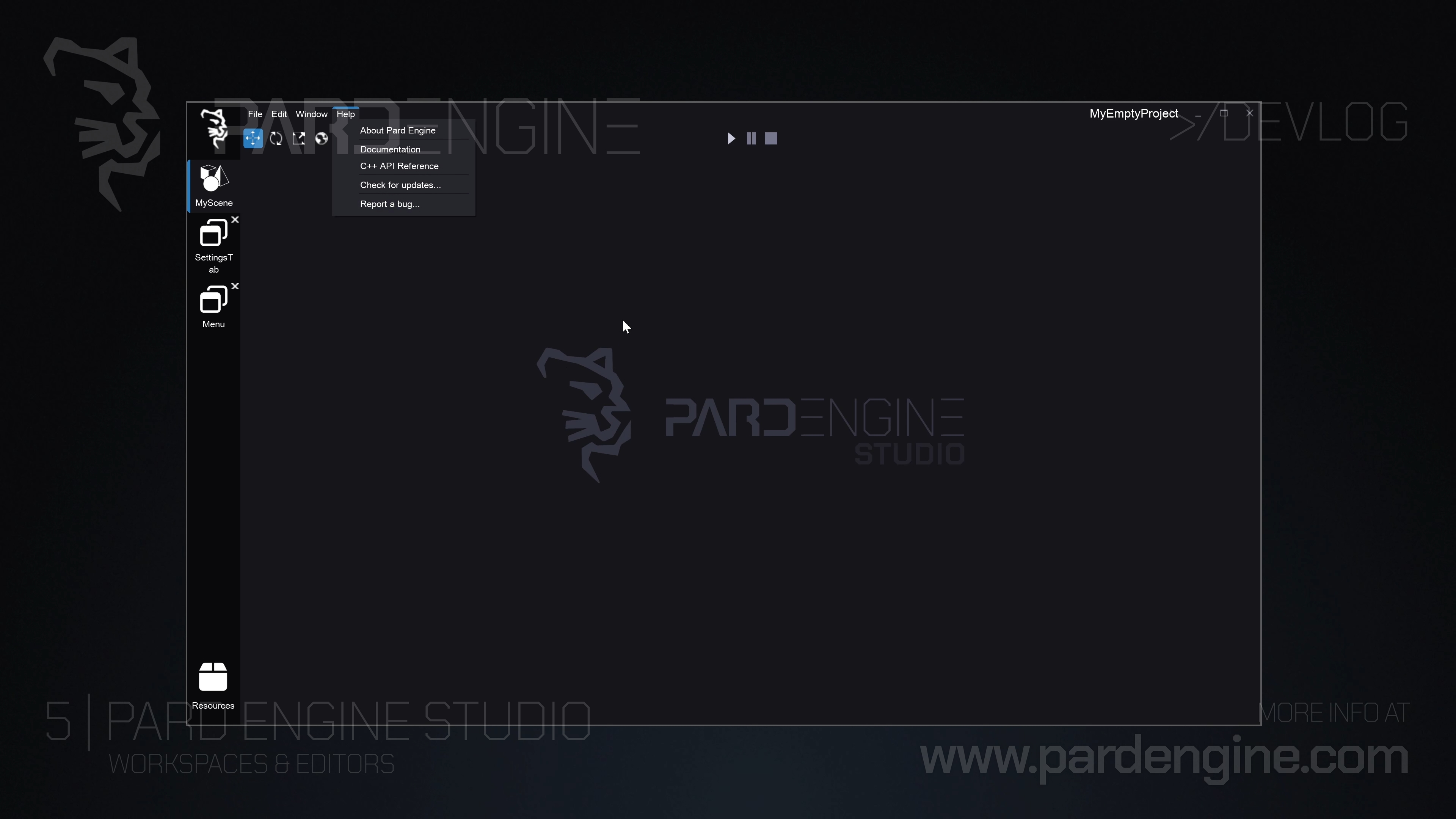
Figure 1: Main workspace window with three editors: one scene editor and two GUI editors.
The editor application’s primary purpose is to enable users to edit these resources.
Therefore, the editor application supports opening multiple sub-editors. For example, we have a scene editor for scenes and a GUI editor for GUI controls.
When the editor starts, one or more resources may already be open from previous sessions. In this case, the editor automatically loads them at startup, opening their respective editors.
As shown in the first image, the editor application begins by creating the main window, the workspace window. This window hosts at least one or more editors, which can be docked inside it.
Editors are visually represented in the UI as tabs. These tabs are managed by a UI control called the Tabs Container. A tab bar on the left allows users to switch between editors easily and reorder tab labels as preferred.
On the right, the main panel displays the editor’s user interface.
Currently, as seen in the first image, three editors are open:
A scene editor handling a scene resource named MyScene,
A GUI editor for the Settings tab GUI control, and
A GUI editor for the Menu GUI control.
At this moment, the scene editor is selected and displayed.
The image also shows the scene editor UI, composed of:
A menubar at the top,
A simple toolbar beneath it (containing gizmo controls and simulation buttons like play, pause, stop),
The entire area below it, which we call the dockable area.
This area will host sub-windows related to the editor (e.g., viewport, scene inspector, properties) once implemented, covered in the next devlog.
For now, this area displays the Pard Engine Studio logo. Once sub-windows are docked here, the logo will be hidden underneath.
As seen in the top video, clicking a tab label on the left switches to the corresponding editor. Currently, the GUI editor UI resembles the scene editor. This will change once sub-windows are introduced.
Multi-Workspace Support
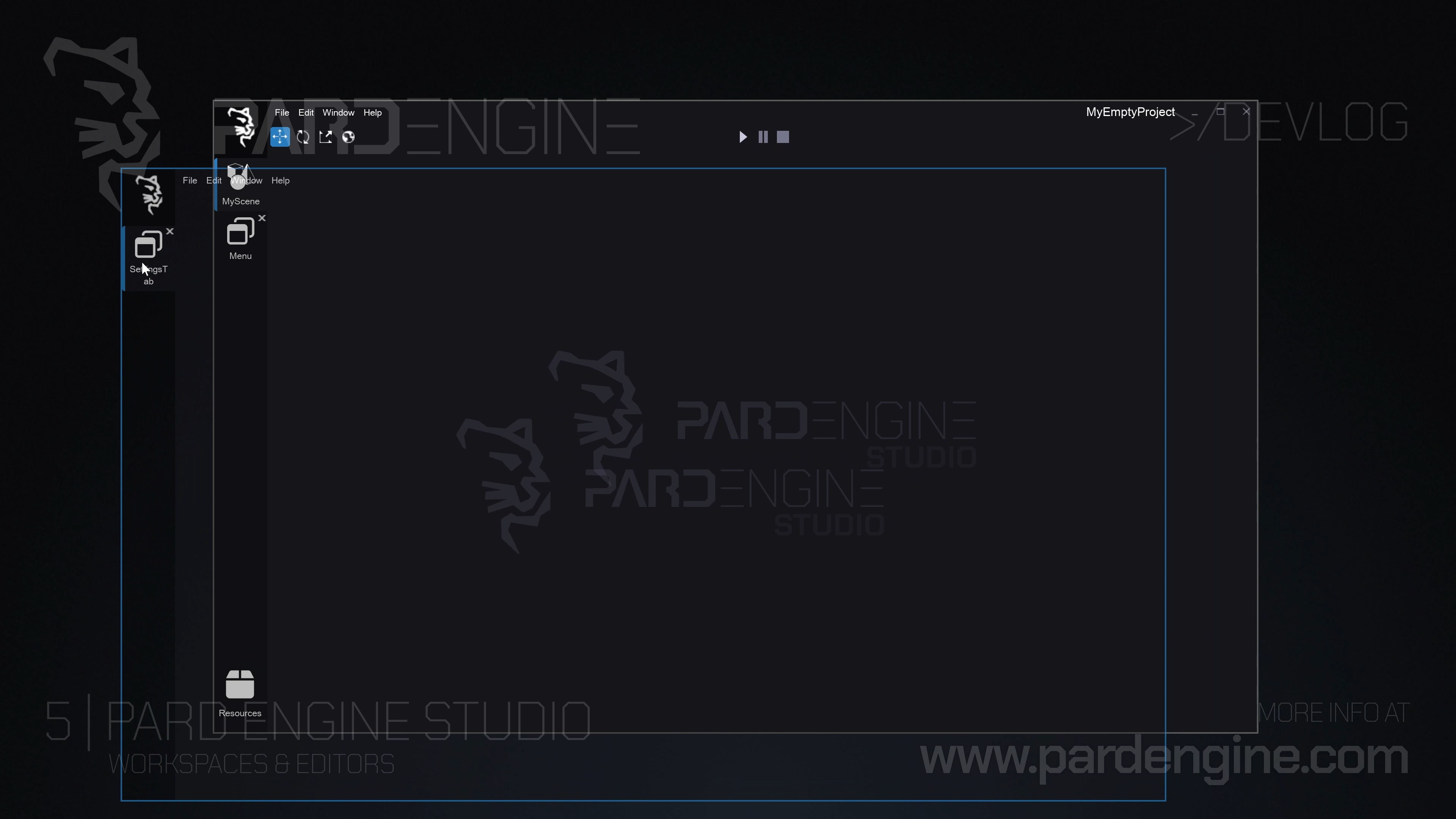
Figure 2: Dragging GUI Editor outside the workspace window.
Pard Engine Studio also allows users to create multiple workspaces. This is particularly useful for multi-monitor setups.
By dragging a tab label outside the workspace window, as shown in the second image, the user generates a new workspace window containing only that editor.
The user can drag this workspace window anywhere, as shown in the video. It’s also possible to dock multiple editors within a single workspace.
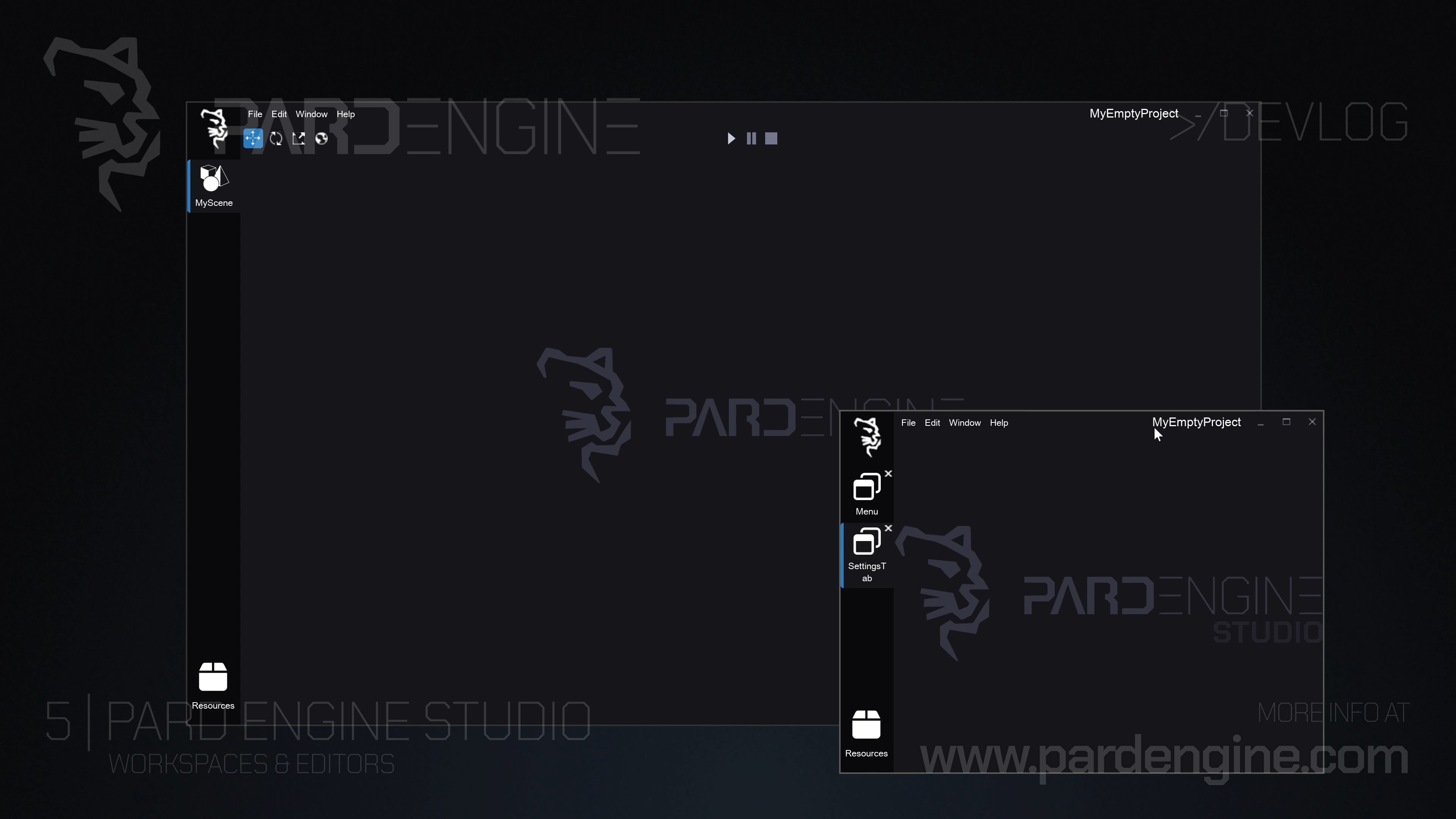
Figure 3: Multiple Workspaces: on the left a workspace with scene editor; on the right, a workspace with two gui editors.
In the third image, the GUI editors are docked together in one workspace, while the scene editor remains in another. The user could move the GUI editors workspace to a secondary monitor and leave the scene editor on the primary, rearranging as preferred.
Modular Editor Architecture
Now, a brief overview of how these sub-editors are handled under the hood.
Editors function as independent, dynamically loaded modules (compiled as .dll files). The module manager of Pard Engine Studio handles on-demand loading when a specific resource editor is opened (e.g., triggering the material editor when a material resource is double-clicked in the asset browser). This approach offers practical benefits:
Runtime adjustments: Modules can be enabled or disabled without rebuilding the editor or engine.
Independent work: Individual editors (e.g., scene editor) can be developed without affecting other systems.
Easy expansion: New editor types (e.g., animation editor) can be added as separate modules.
Graphics Engine Improvements
The underlying graphics engine, shared with illuxUI, has been extended to support low-level Graphics APIs. Direct3D 12 is now fully operational, with an architecture designed to accommodate future APIs (Metal, Vulkan, etc.) through a unified interface layer. This enables:
Scalable API abstraction, reducing duplicated code when adding new backends.
Compatibility with modern hardware requirements.
Other features, such as Physically Based Rendering and Render Passes, will be detailed in future updates.
What’s Next?
In the next devlog, we’ll detail how an editor (e.g. scene editor) manages its sub-windows (e.g., viewport, inspector), including user rearrangement, docking behavior, and layout saving between sessions.
Thank you for being part of the Pard Engine journey!
We’re closing in on our Alpha version release, and your interest fuels every line of code we write.
How you can help us grow:
Support us on Patreon: Every contribution powers our development, no matter the amount.
Patreon LinkJoin our Discord: Chat with devs, share ideas, and get early updates.
Discord LinkReady to spread the word?
Share this article anywhere you like using the buttons in the share bar.
We can’t wait to dive into the next devlog with you!